Blog

Dec 4, 2023
Mozilla Developer Network Partners Exclusively with BuySellAds for Native Advertising Initiative
Nov 14, 2023
404 Media Partners With BuySellAds To Drive Digital Ad Sales
BuySellAds and Buttondown Collaborate to Streamline Sponsorship Placements, Offering Advertisers Direct Access to Newsletter Audiences
BuySellAds Has A New Look

BuySellAds Launches Newsletter Network to Support Publishers and Advertisers

What We Learned From Planning a Team Meetup

BSA's Direct Sales Team Retreat: The Highlights
Contextual Advertising: The Ultimate Guide for Marketers
An all-in-one guide to sponsored content for DTC brands

5 tips to find the best ad network for your brand
How to Advertise in a World of Ad Blockers

What These 9 Marketing Leaders Learned In 2020

Advertising Without Third-Party Cookies: Strategies for Success

The Code to Advertising to Developers
How to Advertise to Tech Audiences

How to Reach Designers with Sponsored Content

How to Reach Crypto Audiences with Sponsored Content

How to Reach Early Adopters with Sponsored Content
How to Reach Tech Consumers with Sponsored Content

How to Reach Developers with Sponsored Content

How to Reach Developers with Email Advertising
How to Reach Crypto Audiences with Email Advertising

How to Reach Tech Consumers with Email Advertising

How to Reach Tech Consumers with Native Advertising

How to Reach Early Adopters with Email Advertising

How to Reach Designers with Email Advertising
The Best Marketing Advice For 2020, According to 16 Experts

How to Reach Developers with Native Advertising
How to Reach Designers with Native Advertising

How to Reach Crypto Audiences with Native Advertising

How to Reach Early Adopters with Native Advertising
How to Advertise to The Cryptocurrency Community

How to Advertise to Designers

How to Reach Early Adopters
The Future Of Advertising Is Curation, Not Bots Calling The Shots

Measuring Syndicated Content Campaigns With Google Analytics

How to Syndicate Your Content and Drive Action
How Content Discovery Should Fit Into Your Marketing Strategy

How to Write Powerful Advertorials that Sell

Content Syndication: How to Drive More People to Your Content

Why We're Betting on the Future by Partnering with Brave

Measuring the Success of Contextual Advertising Placements

What to Look for When Evaluating Publishers For Your Advertising Placements

Where Contextual Advertising Fits In Your funnel

The Value of Contextual Advertising on Today’s Internet

Great Brands Were Built By Contextual Advertising

How to Create a Product Launch Plan for Paid Marketing

We’re Living In The World Wide Ad Honeypot

How to Prepare for a Surge in Website Traffic

The 11 Best Marketing Podcasts for Growth in 2018

Ad Tech Story Time: The Secret Language of Adtechish
B2B Demand Generation Strategies for Marketing Growth

Brand Marketing: The Missing Piece of Your Growth Strategy

Measure, Optimize, Grow: 31 Free Demand Generation Tools to Power Your Strategy

Here's How Ad Tech Got Its Stripes

How to Build a Full-Funnel Advertising Strategy

The Case for Creativity in B2B Marketing Campaigns
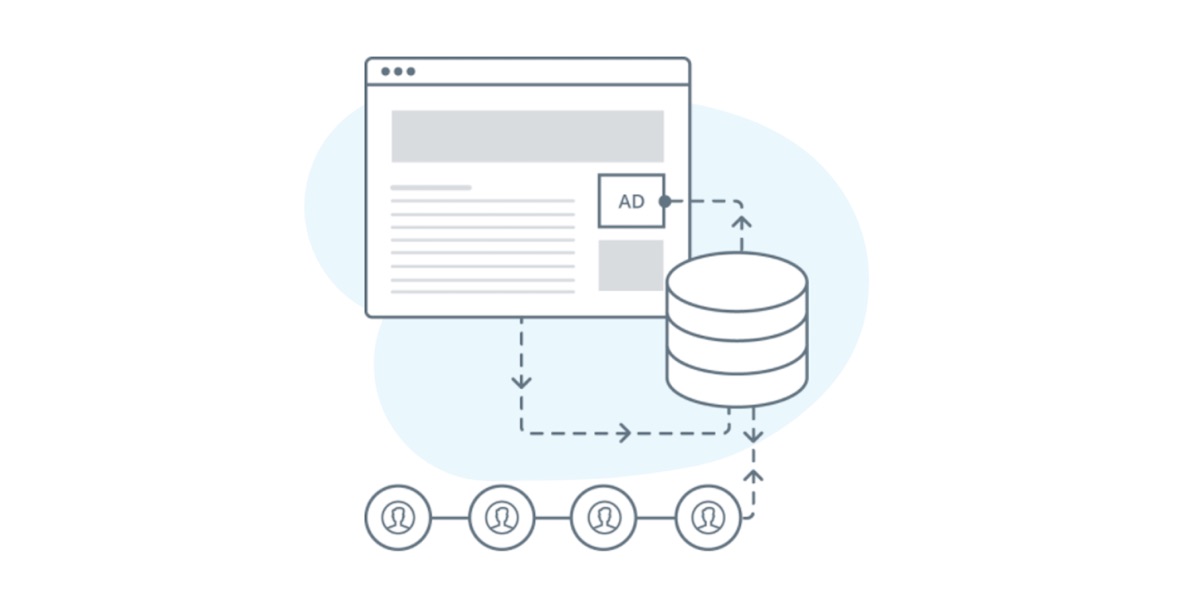
What Data Does BuySellAds Collect?

Simple Customer Retention Strategies For Sustainable Growth

Why Server-to-Server Really Turns Header Bidding on its Head

Getting Started with Demand Generation Strategies

Battle of the Generations: Demand Generation vs Lead Generation

It's Time for Header Bidding to Quit the Browser

The Top Ad Tech News of 2017
A Short Guide to Server-to-Server Header Bidding
How to Find the Right View-Through Conversion Window

5 Demand Generation Examples—With Ideas From Startups

Want to Advertise to the Best Designers? Look to Publishers

5 Benefits of Performance Marketing
BuySellAds Partners with Cryptocurrency Leaders, Expanding Its Extensive Media Reach

10 Things To Know About BuySellAds Sponsored Content Campaigns

Bitcoin.com Selects BuySellAds As Exclusive Advertising Partner

What To Do When Google Analytics And Ads Data Don’t Match
BuySellAds Announces Exclusive Advertising Partnership With Blockchain

How to Find The Best Emerging Placements For Designer Marketing

How to Create Ad Campaigns that Designers Love

The Competition In Ad Tech Is Just Getting Started

Advertising Is the Answer to the Media’s Problems
How To Use Relationship-Based Sales To Supercharge Marketing

Audio to Action: Driving Leads through Podcast Ads

Ads.txt and Transparency’s Muddy Truth

Five Reasons Your Ads Aren't Reaching Developers
The Future Belongs to Premium Publishers That Control Ad Tech

I Am Where I Am In Life Because Of Advertising Online
We've Partnered Up With National Public Media (NPR & PBS)...

Sometimes All You Need To Do Is Ask People To Disable Ad Blockers

Google’s Great Advertising Whitelist Whale
Do Advertisers Even Need Publishers?

Everything I Know About Online Ad Placement I Learned From A Road Hockey Game

Here’s How To Start Compiling An Ad Sales Strategy For Your Publication
Plan On Moving Your Entire Publication To A Platform Like Medium Or Facebook?
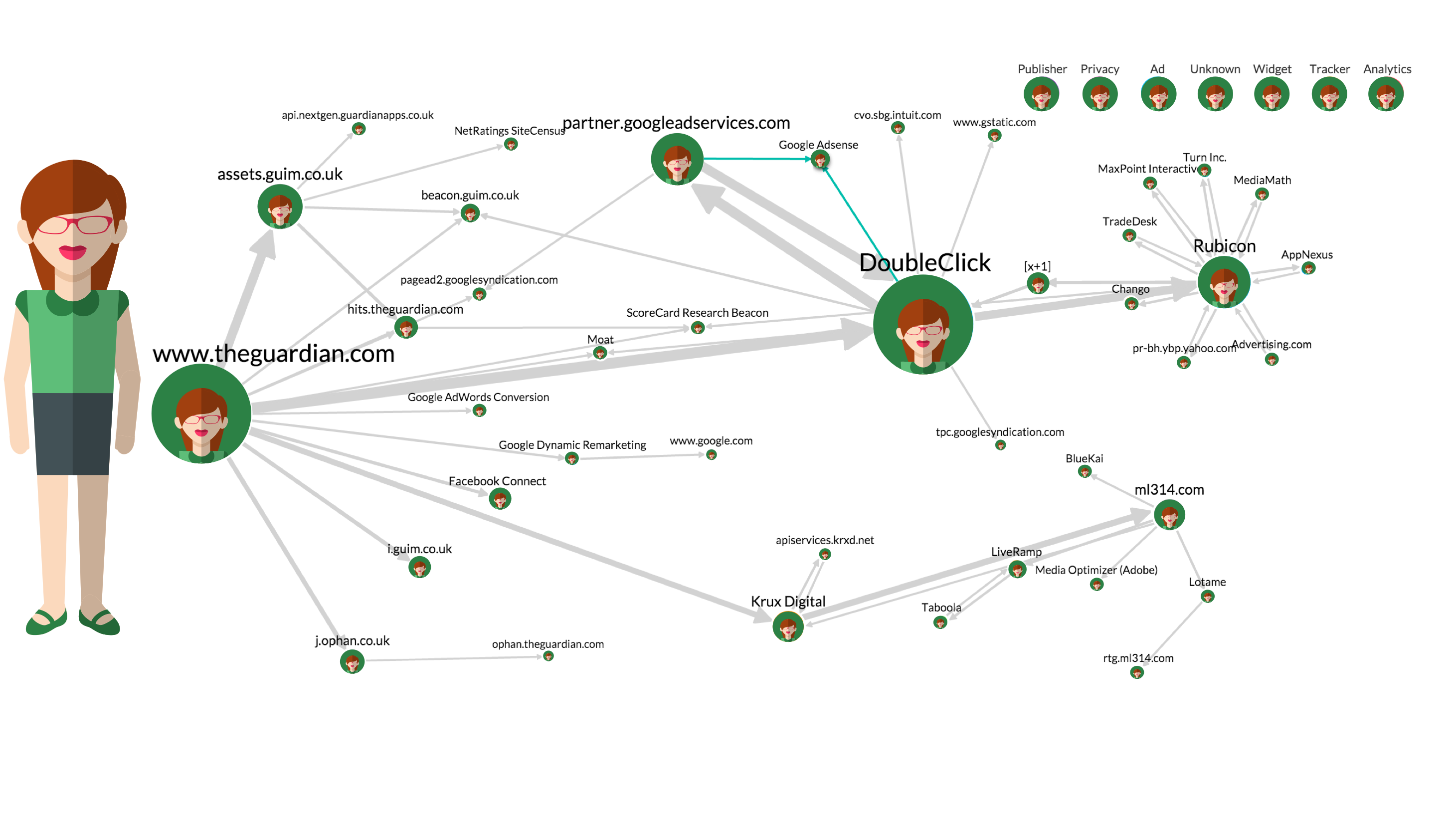
It’s Time For Ad Tech To Evolve.
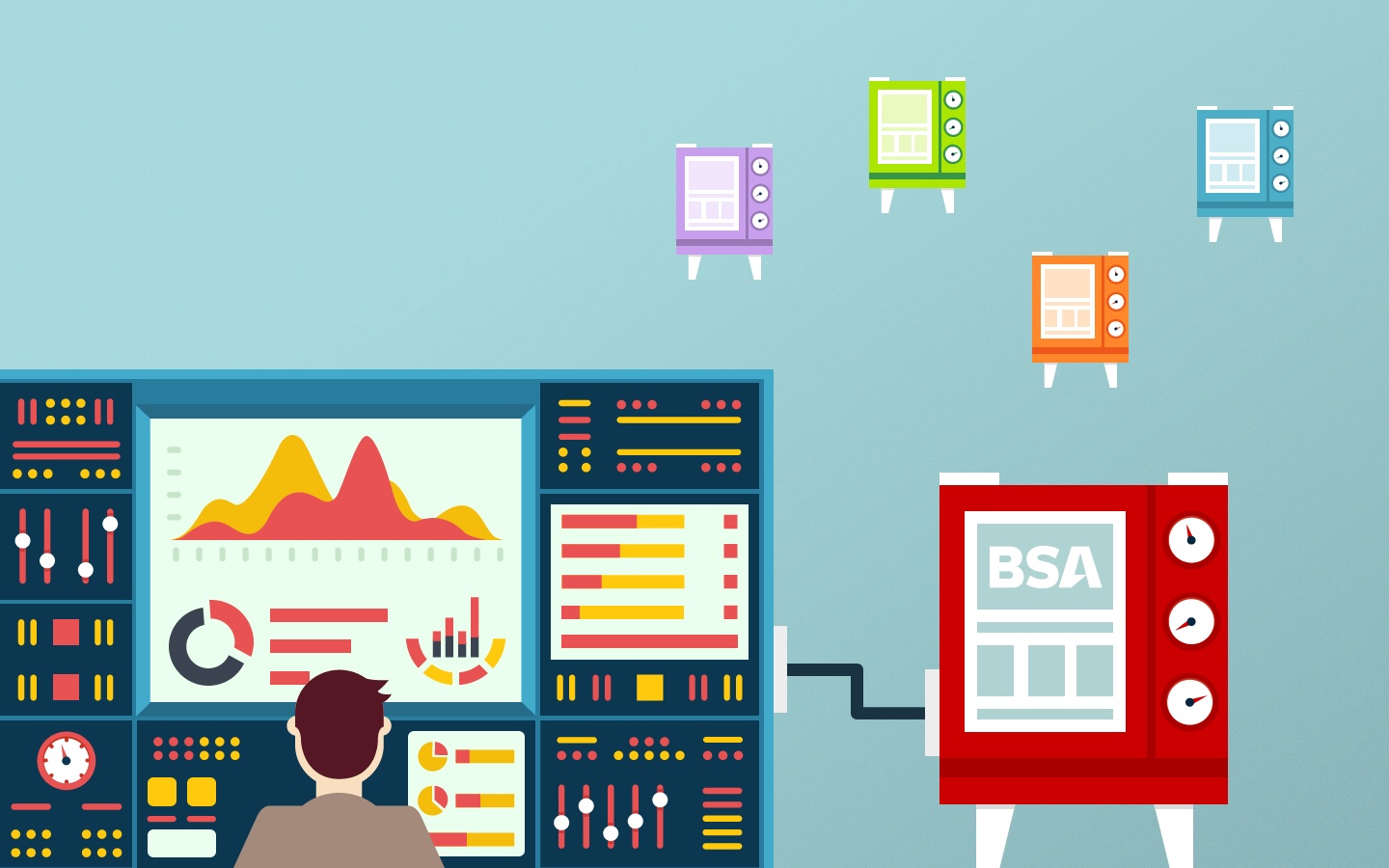
The Next 8 Years Of Ad-Tech Should Focus On Direct To Advertiser Sales Platforms

What is Automated Guaranteed?
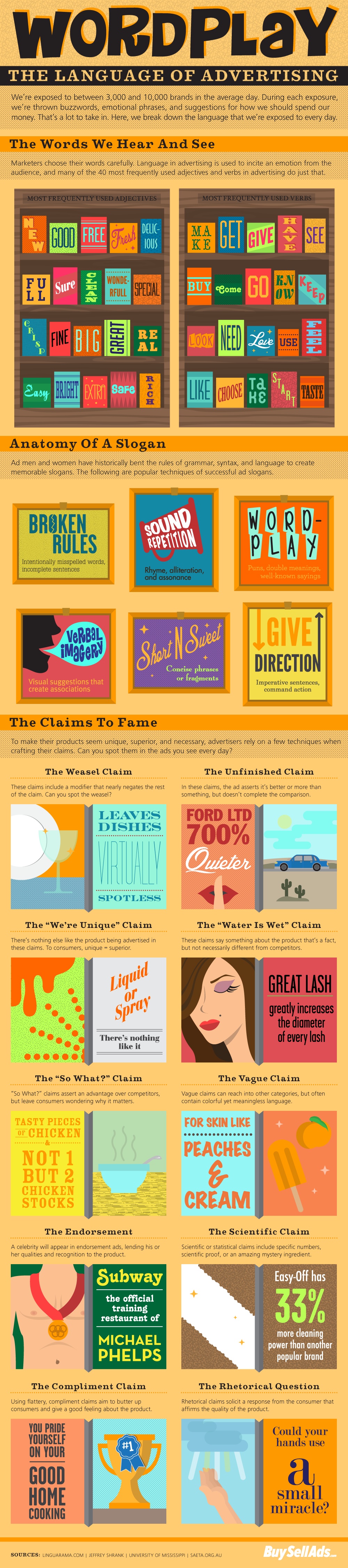
Wordplay: The Language of Advertising
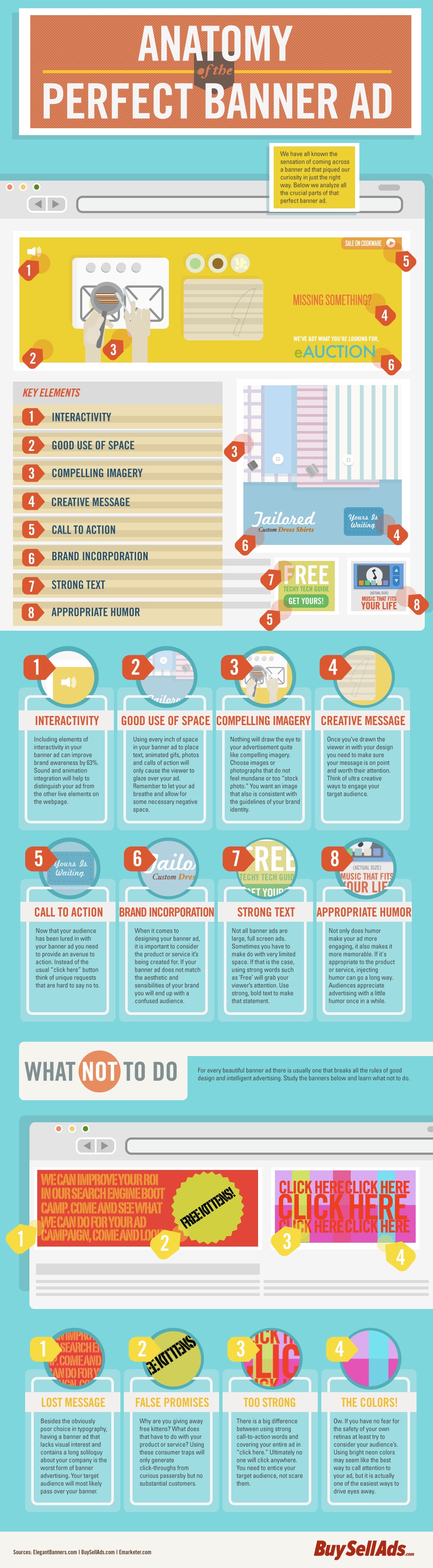
Anatomy of the Perfect Banner Ad
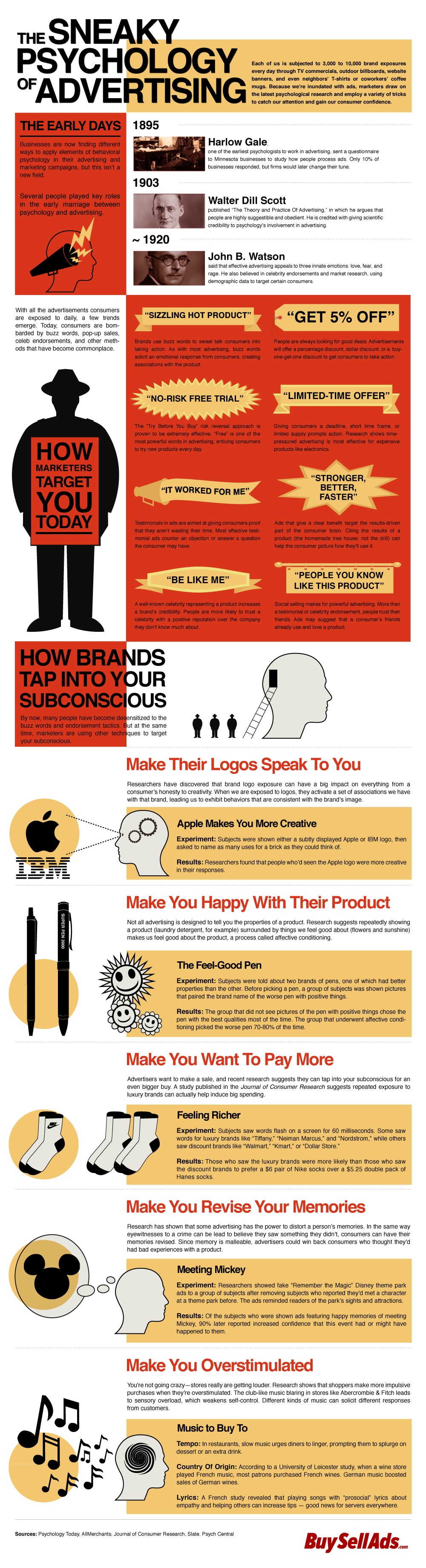
The Sneaky Psychology Of Advertising

The Secret of Selling Banner Ads: When Less is More
New Feature: Non-blocking, Asynchronous Ad Code